
Develop high quality & secure mobile apps
SonarQube helps you find and fix bugs, security vulnerabilities, and code quality issues in your Android and iOS projects before they hit the app store. It delivers continuous, centralized code analysis with clear remediation guidance to help your mobile teams ship faster and with confidence.
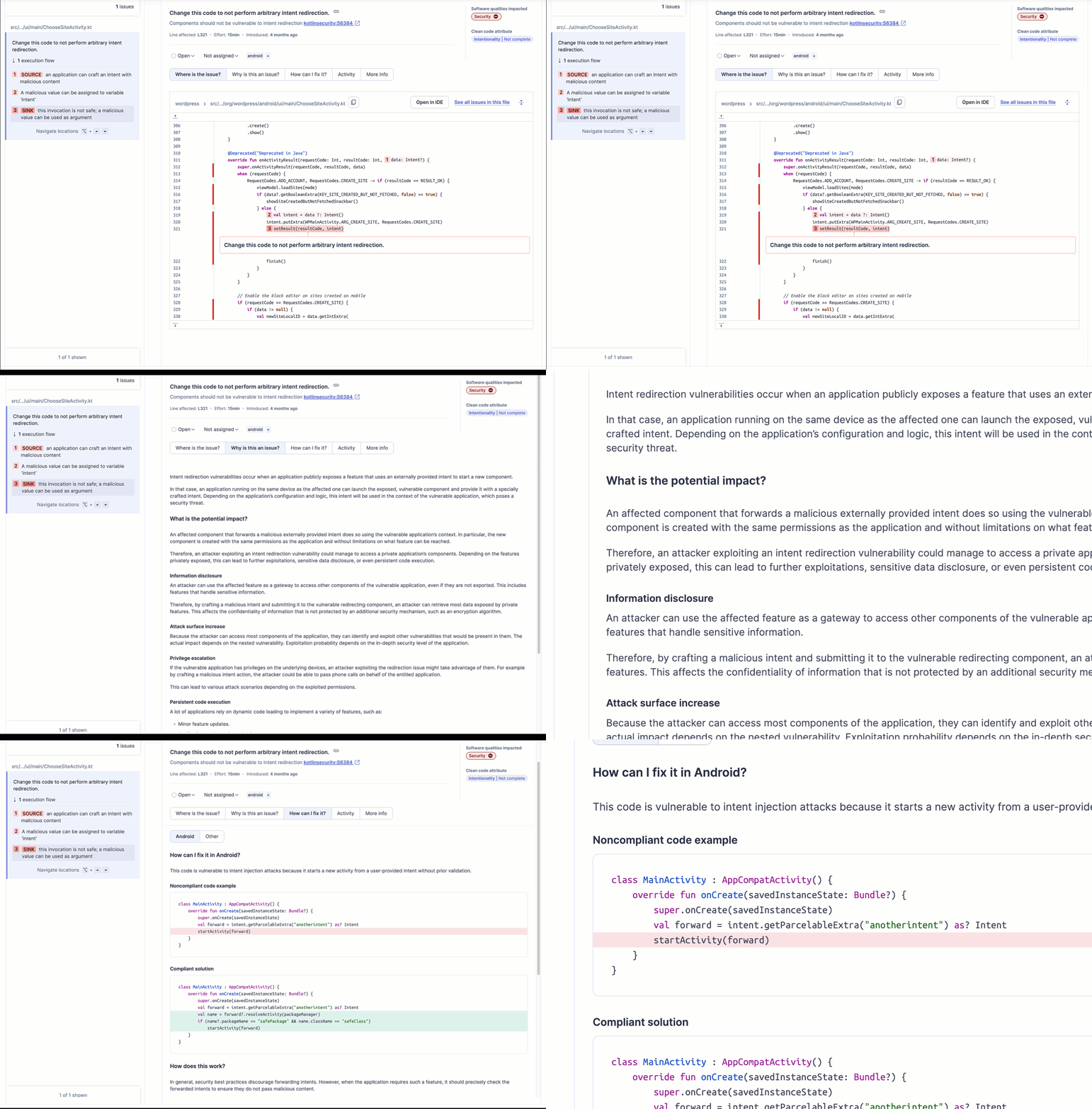
Ship high-quality, secure mobile apps with confidence
Coverage for the most popular mobile development languages. This includes first-class support for Swift, Kotlin, Objective-C, and Java to ensure mobile code quality and security across iOS and Android. It also extends to cross-platform stacks like Dart/Flutter and JavaScript/TypeScript, so teams can maintain consistent standards.
Comprehensive security for modern mobile apps
See all rulesFlutter/Dart apps
While the Dart and Flutter attack surface isn't extensive, there are misconfigurations that should be avoided to write secure Flutter and Dart apps. SonarQube will identify these, explain the context and propose solutions.
Secure iOS apps
SonarQube will detect security vulnerabilities and misconfigurations in your Swift and Objective-C code. It then offers to go further, enabling app developers to quickly understand, and fix them.
Stay ahead of threats
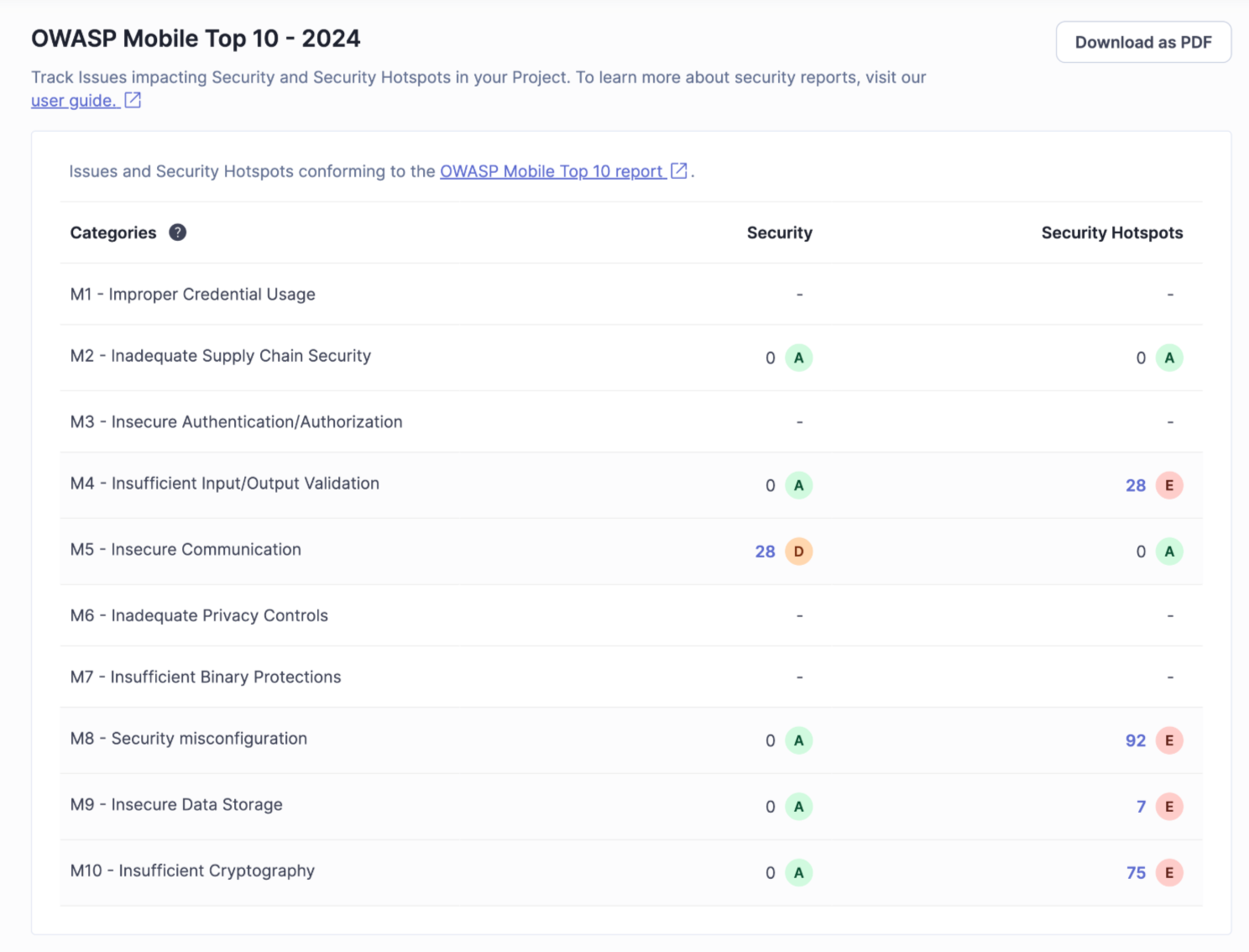
Check your code against key industry standards, such as Mobile OWASP Top 10. SonarQube allows you to select the security standards relevant to you, and run reports which highlight your performance.
Built for front-end & backend software developers
Front-end developers
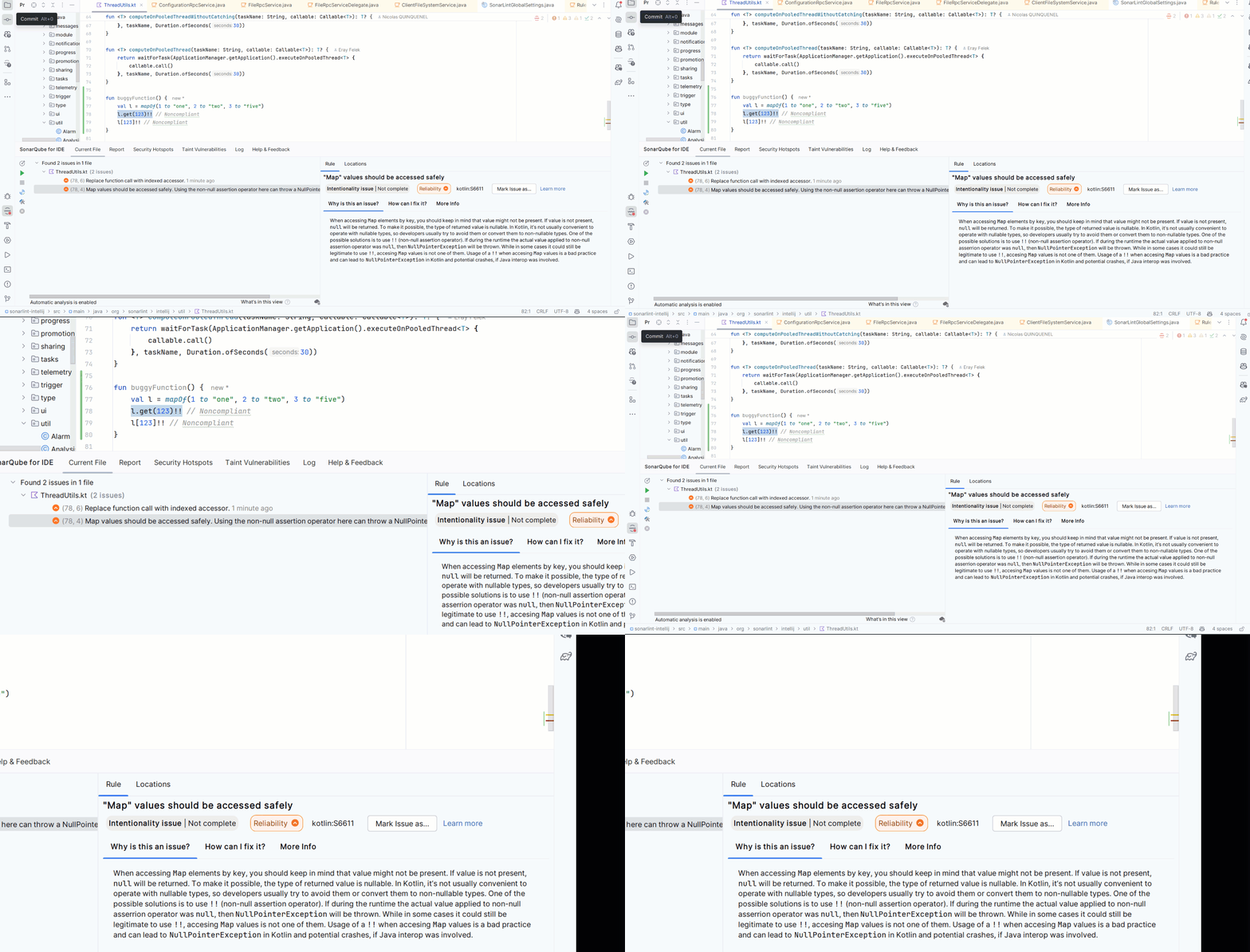
Build responsive, secure mobile UIs with immediate, in-IDE insight into code smells, performance pitfalls, and unsafe patterns in Swift, Kotlin, Objective‑C, Java, Dart/Flutter, and JavaScript/TypeScript. Get precise explanations and guided remediation so issues are fixed early—before they impact users in production.
Backend developers
Safeguard APIs and services that power your mobile apps by detecting injection risks, authentication/authorization flaws, insecure data handling, and error‑handling gaps across your service code. Consistent, actionable results in CI and pull requests help you prevent regressions while keeping throughput high.
Mobile Developers FAQs
What is SAST for mobile apps and why does it matter for quality code?
Static Application Security Testing (SAST) analyzes your source code to find vulnerabilities and code smells before the app runs. For mobile teams, this uncovers insecure patterns in Android, iOS, and cross‑platform frameworks early in the lifecycle, helping you ship quality code that’s secure by design. By catching issues pre-build, SAST reduces costly late fixes and supports quality at the source with a focus on new code.
Paired with secure coding standards and automated checks, SAST gives developers fast, actionable feedback in their existing workflows. This enables a new code quality approach that prevents the introduction of new issues and keeps technical and security debt from compounding over time.
Which mobile languages and frameworks are covered?
Coverage spans key mobile stacks used by modern teams, including Android and iOS ecosystems as well as popular cross‑platform toolkits. This allows developers to scan codebases consistently across native and hybrid apps without switching tools.
Unified analysis across these stacks helps teams standardize policies and results, so security and reliability rules apply equally whether you ship Kotlin/Java for Android, Swift/Objective‑C for iOS, or cross‑platform UI and business logic. That consistency supports quality code outcomes and makes triage more efficient for distributed teams.
How does this help with OWASP Mobile Top 10 risks?
Results map to common mobile risk categories so teams can prioritize fixes that matter most, including issues highlighted by the OWASP Mobile Top 10. Clear reporting helps engineers see where vulnerabilities originate and how they relate to mobile‑specific threats.
By aligning findings to recognized risk categories, security and development can share a common language, streamline remediation, and continuously measure progress against high‑impact issues. This elevates new code quality by preventing re‑introductions of critical mobile weaknesses.
Can developers fix issues faster with AI assistance?
Yes—AI‑powered suggestions can accelerate remediation by proposing targeted code changes that follow secure patterns. These recommendations appear where developers work, shortening the path from detection to fix while preserving code intent.
AI assistance complements rule‑based analysis by offering context‑aware fixes and examples developers can adapt. This drives quality at the source, reduces time spent on repetitive repairs, and helps maintain momentum during sprints without sacrificing security.
How does it integrate with my IDE and CI/CD pipeline?
Developers get immediate feedback inside their editor via SonarQube for IDE, so issues are caught as code is written. This supports a focus on new code and prevents flawed patterns from entering the repository.
In CI/CD, analysis gates enforce standards on pull requests and main branches. Teams can block risky changes, track trends, and ensure releases meet agreed thresholds for security and reliability, strengthening overall code quality.
What’s the difference between SonarQube and SonarQube Cloud for mobile projects?
SonarQube provides a self‑managed solution with deep analysis, governance options, and integration into on‑prem or private cloud environments—ideal for organizations with specific compliance or data residency needs.
SonarQube Cloud delivers a fully managed experience with the same quality and security principles, removing the overhead of infrastructure management. Teams can onboard quickly, scale effortlessly, and focus on delivering mobile features while maintaining high standards for new code quality.
How do quality gates and a focus on new code improve outcomes?
Quality gates apply objective criteria—security, reliability, and maintainability thresholds—to every change set. By focusing on new code, teams ensure today’s work meets standards and prevent new issues from being introduced.
This approach contains legacy debt while steadily improving the codebase. Over time, consistent passing of gates on new code raises overall quality, reduces production incidents, and accelerates delivery by minimizing regressions.
Can this help large, multi‑repo mobile codebases (monorepos and micro‑repos)?
Yes—analysis supports scalable setups common in mobile organizations, enabling consistent rules and reporting across many modules and apps. Results can be aggregated for visibility while still providing developer‑level detail where fixes happen.
This ensures that libraries, shared components, and app projects adhere to the same standards. Teams benefit from centralized policies and decentralized execution, leading to faster remediation and more predictable releases.
How do we start if we’re on the Community Build today?
Teams can begin with the Community Build to explore core analysis and then expand to editions that add advanced governance, security rules, and enterprise features. This path lets you validate workflows before scaling.
When you’re ready, upgrading provides tighter PR controls, broader rule sets, and stronger reporting for audits and compliance. That evolution supports sustained improvements in quality code across mobile portfolios.
How do security and developer teams collaborate using these tools?
Shared dashboards, aligned risk categories, and inline annotations create a common view of issues for both security and development. Developers see actionable guidance in their IDE, while security gains oversight across projects.
This collaboration model encourages quality at the source and a continuous focus on new code. By integrating analysis into everyday workflows, teams reduce friction, speed up fixes, and maintain a high security posture without slowing delivery.
Ready to ship better, safer mobile apps?
It is easy to get started with SonarQube. Start a free SonarQube Cloud trial, and experience the Sonar difference.

4.6 / 5


